Home office accessories and lighting
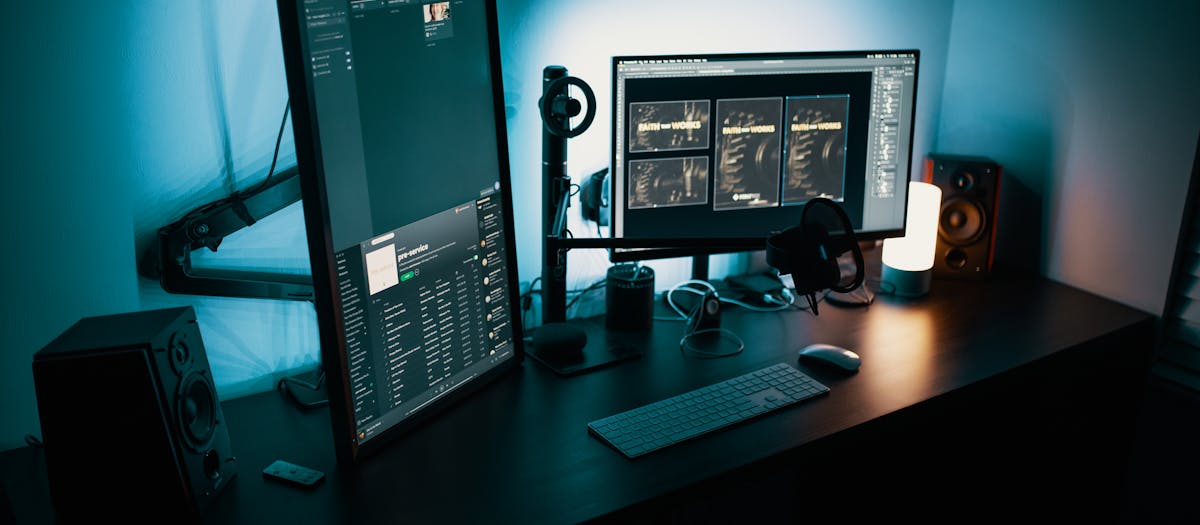
The category that gets dismissed and shouldn't. A chair mat, a monitor arm, a light bar and a footrest add up to about 15 to 20 percent of a typical home-office budget — and they fix the ergonomic problems the chair and desk leave behind. They are also the cheapest single ergonomic upgrades per dollar in the entire stack. Monitor at the wrong height, wrists bent at the keyboard, chair dragging on bare carpet — every one of those is solvable for under $50.
This is also the silo where the SEO is genuinely friendly. Wirecutter covers the head terms (best monitor arm, best ergonomic keyboard) and ignores the long tail. Chair-mat guides, monitor-light-bar guides, VESA sizing, footrest comparisons — all sit in under-served search territory with thin competition.
Below: a four-question decision tree, the current featured guide, and the order to buy in if you are upgrading an existing setup piece by piece.
The order to buy in
If you already have a chair and a desk and you are adding accessories, this is the order that delivers the most ergonomic gain per dollar.
- Monitor arm or riser — bring the screen up to eye level. The most common ergonomic miss. About $45 for a single arm.
- Chair mat — if you are on carpet. Lets the chair roll, saves your back and your floor. About $40.
- Light bar — eliminates glare on the screen, evens the light field. About $45.
- Wrist rests — keyboard plus mouse pair. About $15.
- Footrest — if you are under 5'7". About $25.
- Vertical mouse or ergonomic keyboard — for sustained mouse-and-keyboard work. $40 to $100.
- Cable management kit — not ergonomic on paper but makes the setup feel like a workspace. About $15.
How to choose accessories
Four questions for the buying side of every accessory listing.
Does it fix a specific ergonomic problem?
"Cool gadget" is a reason to want; "fixes my forward head posture" is a reason to buy. A monitor arm fixes height. A chair mat fixes rolling friction. A light bar fixes glare. If an accessory does not solve a problem you have actually identified, skip it — every ergonomic accessory has a real job.
What is the spec that decides the purchase?
- Monitor arm — VESA pattern (75 or 100 mm), max weight, max screen size, arm reach.
- Chair mat — material (PVC, polycarbonate, glass), thickness, carpet pile compatibility, lip design.
- Light bar — colour temperature range, dimming range, power source (USB-A vs USB-C), monitor curvature compatibility.
- Footrest — adjustable height and tilt, surface texture, size.
- Vertical mouse — hand size fit, button count, wireless / wired, DPI range.
How does it interact with the rest of the setup?
A monitor arm needs a desk edge thick enough for the clamp (most arms fit 0.4 to 3.4-inch edges) and a wall or a desk back that does not block the arm reach. A chair mat needs to sit between your chair and the floor, which means the chair's roll arc has to land on the mat — not on the carpet beyond. A light bar needs USB power, which means either a USB-C port on the monitor or a separate USB-A power source nearby. Read the install spec, not just the listing photo.
Where does it live in the budget?
As a rough split: chair plus desk = 70 to 80 percent of a typical home-office build; monitor arm, light bar and chair mat = 15 percent; everything else = 5 to 10 percent. If an accessory line item starts approaching the chair's price tag, something is out of proportion.
Featured guides
The current published guide in this silo. More land each batch.
Landing next: Best monitor light bar, Best monitor arm for ultrawide, Best chair mat for hardwood floors, Best vertical mouse, Best footrest, and Best keyboard tray.
What matters in home-office accessories
The cross-category spec checklist worth running on any listing.
VESA sizing — 75 vs 100 vs 200
Monitor arms attach to a standard mounting pattern on the back of the screen. Most 24-to-32-inch monitors use 75 × 75 mm or 100 × 100 mm. Some 32-inch and most ultrawide / 49-inch monitors use 200 × 100 mm. Check your monitor spec sheet for the VESA pattern before ordering an arm — a 100 × 100 arm does not fit a 200 × 100 monitor without an adapter.
Power source for lighting
Monitor light bars draw power from USB. USB-A from a wall plug or a powered USB hub works anywhere; USB-C from a monitor port works only if the monitor has a USB-C port with power delivery. Confirm before ordering — a USB-C-only light bar on a USB-A-only monitor leaves you running a separate USB adapter.
Floor type for chair mats
Hard floors take a no-lip rectangular mat — PVC, polycarbonate, or natural materials like bamboo. Low-pile carpet takes a thin PVC mat with a studded underside. Medium-pile carpet takes a thicker (0.16-inch) mat. Plush carpet takes a heavy-duty 0.25-inch PVC or a tempered-glass mat. Picking the wrong category is the most common cause of a mat that curls at the edges or sinks into the carpet pile within months.
Sizing for vertical mice and keyboards
Hand size matters more for vertical mice than for any other accessory. Small-hand users (under 7-inch hand length) need the small or medium frame; large-hand users (over 8-inch length) need the large. A vertical mouse sized to the wrong hand defeats the wrist neutrality the design promises. The same logic applies to split keyboards — tent angle, key spacing and column staggering all assume a hand size band.
What we don't recommend
RGB-everything desk gear
LED-lit keyboards, mouse pads, monitor arms, fans — fine if you like the look, irrelevant to ergonomics. Pay for adjustment range and material quality, not for the colour the product changes to at 7 p.m.
"Ergonomic" listings without published specs
Same pattern as chairs and desks. If a footrest does not publish height range, if a vertical mouse does not publish dimensions, if a chair mat does not state pile compatibility — the listing is hiding a problem. Skip.
Glass desks without a chair mat
Not a recommendation, an observation: if your desk is glass and your floor is hardwood, your chair caster on hardwood is harder on the floor than the chair on the glass desk. Even a glass-desk owner needs a chair mat if the chair rolls on a sensitive floor.
Single-purpose gadgets that fix one ergonomic issue at twice the price
Niche accessories — keyboard angle gauges, monitor distance lasers, chair tilt indicators — exist. They are not necessary. The eyeball test ("does this feel right after a week?") is enough for almost every reader of this site.